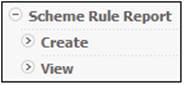
Click View below Scheme Rule Report.
The Scheme Rule Report screen will display a list of reports (both past and present) available for viewing.

The following columns are displayed:
- Scheme Code
- Date selected
- Date Extracted
- User Id
- Action
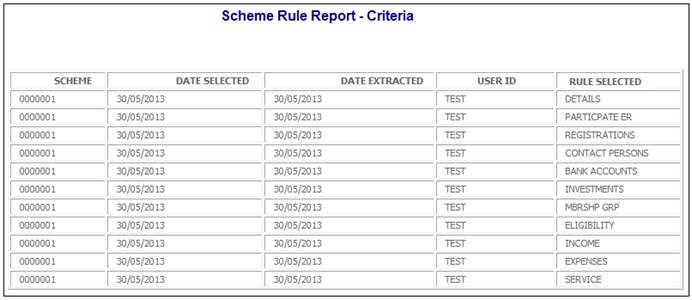
To view the report criteria that were selected when the Create option was selected from the sub-menu for this report, click the hyperlinked criteria in the Action column.
The Scheme Rule Report – Criteria screen will be displayed.
To view the report, click the hyperlinked display in the Action column.
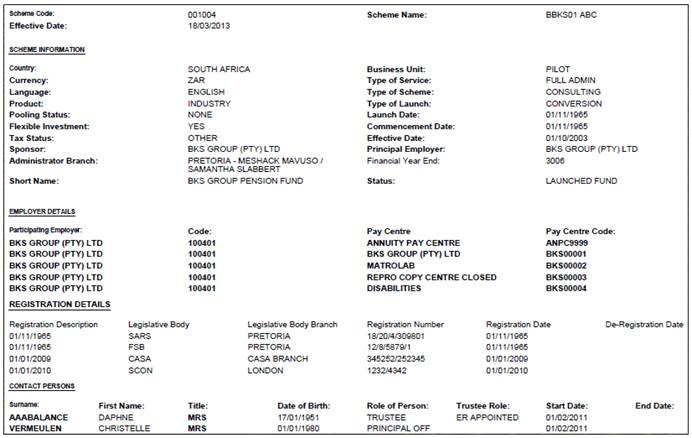
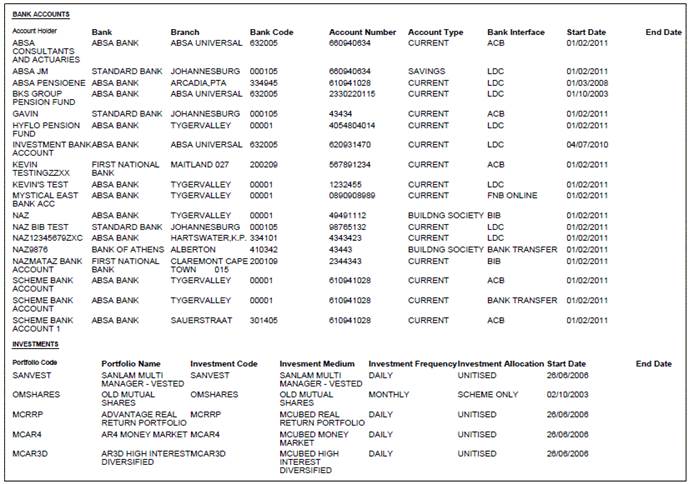
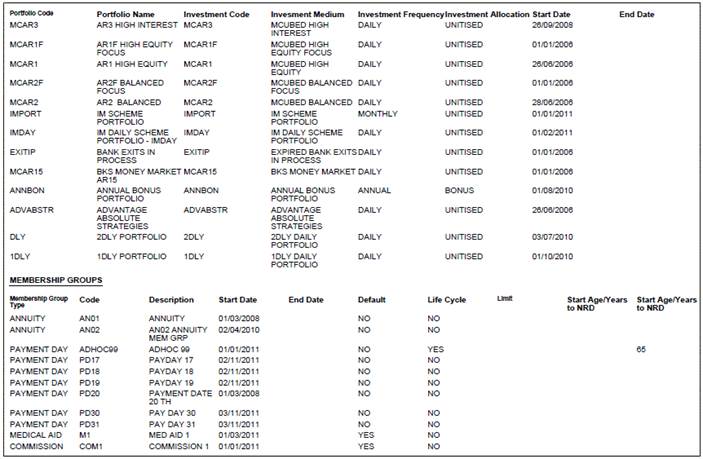
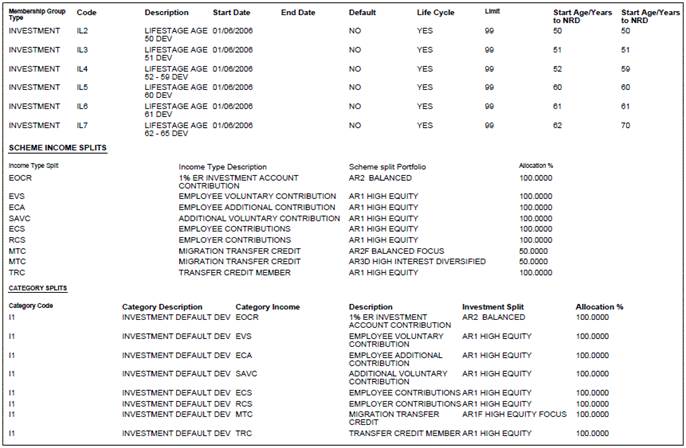
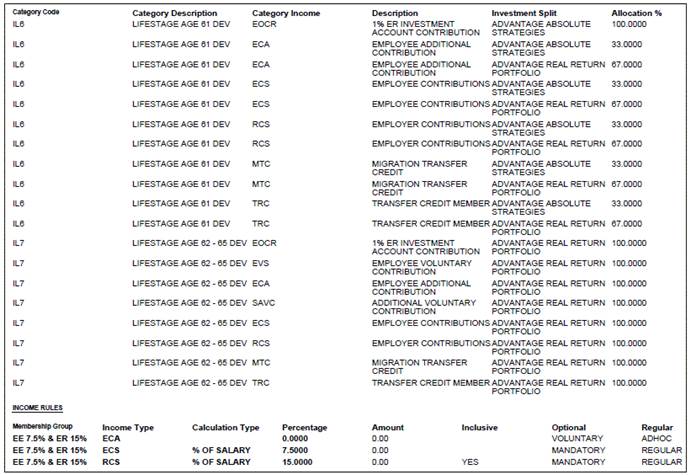
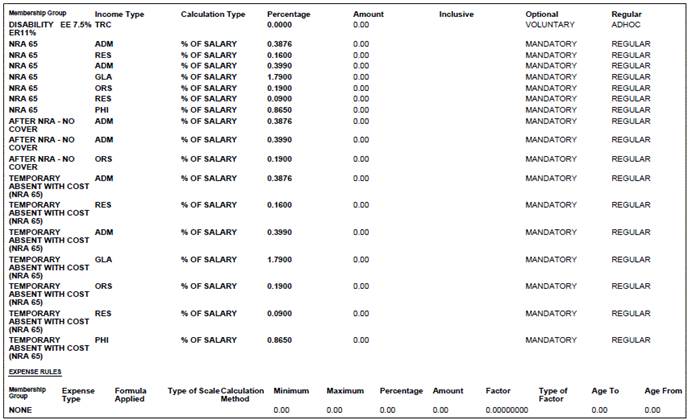
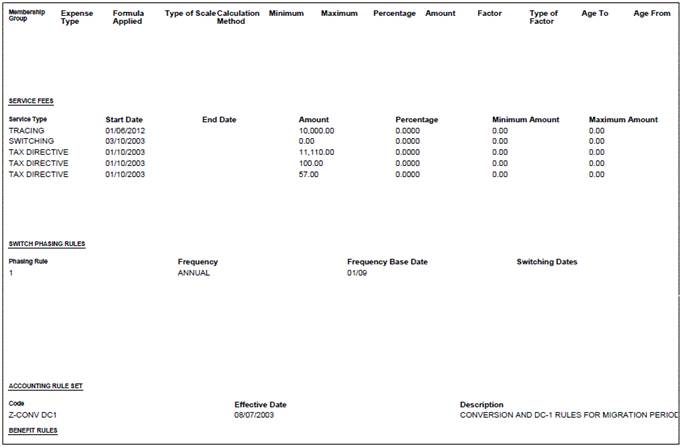
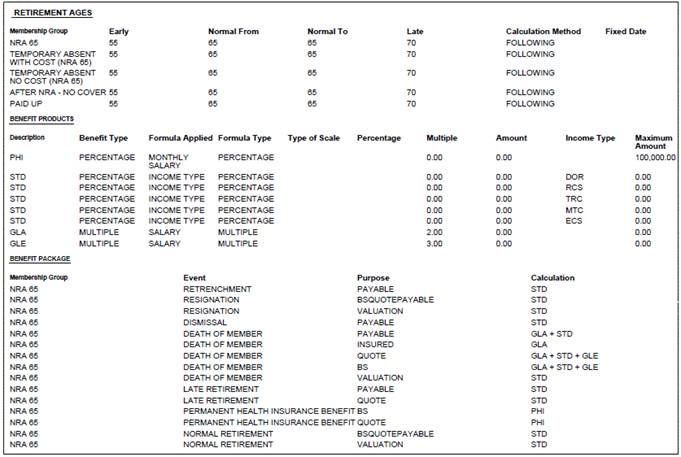
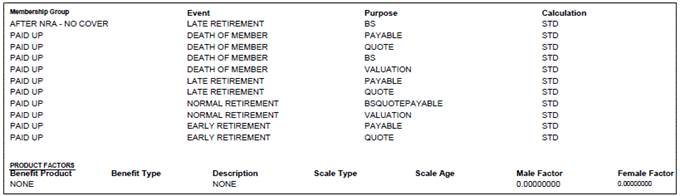
The following report will be displayed in PDF format.