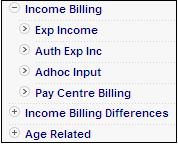
 alongside Income
Billing on the sub-menu on the left, then select Adhoc Input from the list of menu options below it.
alongside Income
Billing on the sub-menu on the left, then select Adhoc Input from the list of menu options below it.This file contains input transactions of expected income that has been authorised.
From the Income Billing menu, select Adhoc Input from the sub-menu on the left.
From the Income Billing menu on the top, click alongside Income
Billing on the sub-menu on the left, then select Adhoc Input from the list of menu options below it.
The Input Files screen will be displayed.
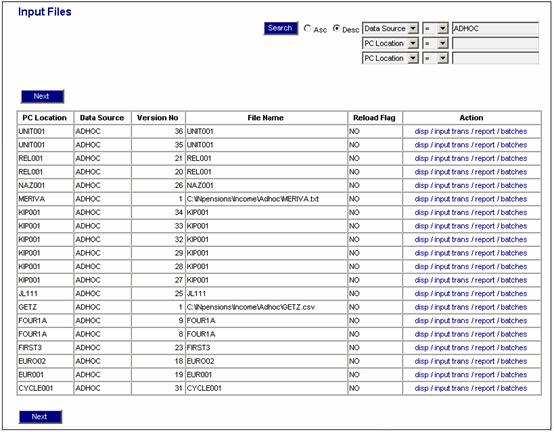
Various options are available from the Action column.
|
disp |
Displays the Input Files screen. Refer to Processes Contributions Income Income Input Files |
|
inp trans |
Displays the Input Transactions screen. Refer to Processes Contributions Income Income Select Batch |
|
report |
Displays the Report Selection screen (below). |
|
batches |
Displays the Input files <--> Batches screen. Refer to Input data under Processes Contributions Income Income Monitoring Batch Runs |
Adhoc Income Report
This report is generated by a batch run. The process involves four distinct steps:
- schedule the batch run
- submit the batch run job
- monitor the progress of the batch run
- view the report
These steps are described elsewhere in the manual. For details, refer to Batch Runs.
The following section provides more detail on the scheduling and submission of the batch run for this report.
Refer to
Infrastructure
Batch
Create a new batch run, or change the parameters of an existing batch run.
Log in to IN.pensions from the Logon page.
Click  .
.
The Welcome screen will be displayed.
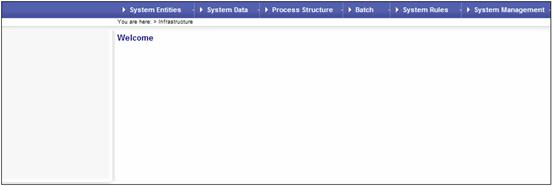
From the main menu on top, select System Infrastructure. A sub-menu will be displayed on the left.
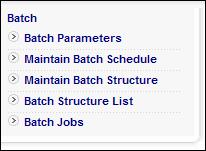
Select Maintain Batch Schedule from the sub-menu on the left. The JAJV Maintain Batch Schedule screen will be displayed.
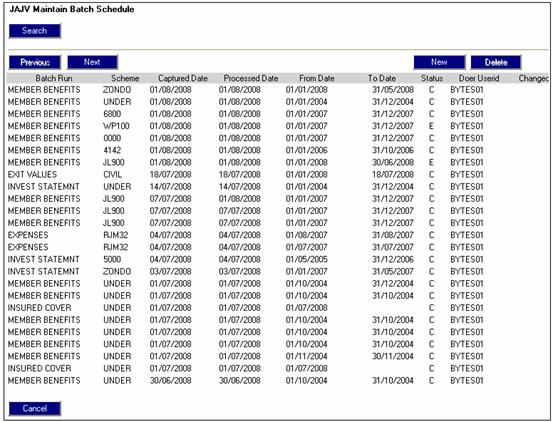
Highlight a batch run on the list and
select  . The JAJV
Schedule Scheme for Batch Run screen will be displayed.
. The JAJV
Schedule Scheme for Batch Run screen will be displayed.
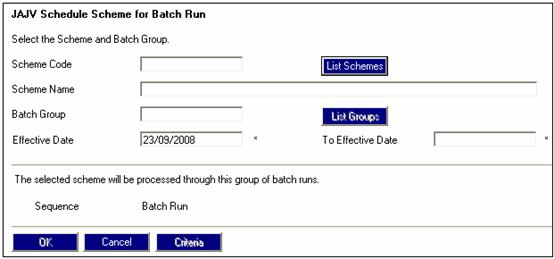
Select a batch group by clicking  for the selected scheme. The JAJU
Batch Structures screen will be
displayed.
for the selected scheme. The JAJU
Batch Structures screen will be
displayed.
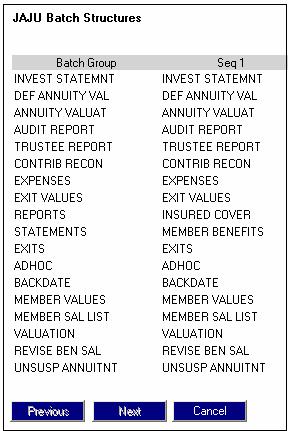
Select the batch group named ADHOC.
Specify the EFFECTIVE DATE.
Refer to Submit a batch run job and Monitor progress of the batch run under
Scheme Reports
Batch Runs
The following is the batch job to be submitted.
|
BATCHJOB51 |
Load Adhoc member and income to IN.pensions |
SFLoadAdhoc.bat |
Once the batch run has taken place, the report will become available.
Refer to
Scheme Reports
Accessing the Reports
Click report in the Action column alongside the required line. The Report Selection screen will be displayed.
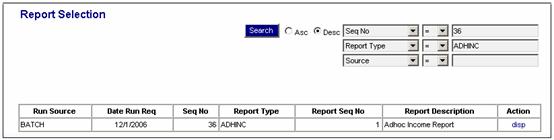
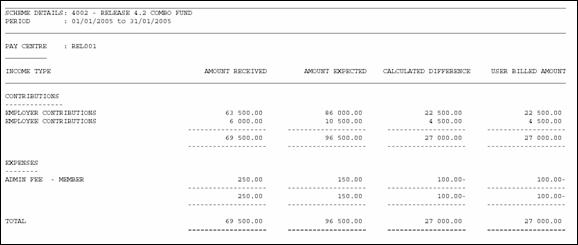
To generate and display an ad-hoc income report, from the above screen, click disp in the Action column alongside the required line. The Adhoc Income Report screen will be displayed in PDF format.
Note:
For an alternative method of extracting and viewing the expected income, refer to
Scheme Reports
Member
Expected Member Income